 Tempusxr
 Basic
Image tracking
Try your own pictures
Pick any pictures on your phone, then point the camera at them. Several targets at once.
Several targets
Needs: Pictures on a second screen, or printed
Every experience we built, ready to open on a phone. Filter by stack, technology, feature and level. Each card opens the experience directly.
BasicImage tracking
Pick any pictures on your phone, then point the camera at them. Several targets at once.
Needs: Pictures on a second screen, or printed
 Basic
Image tracking
The smallest page: the engine of your choice, Tempusxr and one tracker. A yellow box sticks to the poster.
Needs: Show the poster picture to the camera
 Basic
Image tracking
The smallest page: one image, one box.
Needs: Show the poster picture to the camera
 Basic
Image tracking
A veil with the proportions of the image and an animated shape.
Needs: Show the poster picture to the camera
 Medium
Image tracking
Several images in one file, different content on each.
Needs: Show card.png, poster.png or art.png
 Medium
Image tracking
Several images followed at the same time, with a counter.
Needs: Show two of the three pictures together
 Medium
Image tracking
The camera, found and lost events, printed on screen.
Needs: Show the poster picture to the camera
 Advanced
Image tracking
Tap the 3D objects: change a color, make a ball jump.
Needs: Show the poster picture to the camera
 Advanced
Image tracking
Your own interface in HTML above the camera.
Needs: Show the poster picture to the camera
 Basic
Image tracking
A video plays on the poster and pauses when you look away.
Needs: Show the poster picture to the camera
 Medium
Image tracking
Call, email and website buttons appear on the card.
Needs: Show card.png to the camera
 Medium
Image tracking
A 3D frame and a nameplate around a painting. Change the frame style.
Needs: Show art.png to the camera
 Medium
Image tracking
A 3D tree grows inside a wooden frame on the picture.
Needs: Show tree.png to the camera
 Advanced
Image tracking
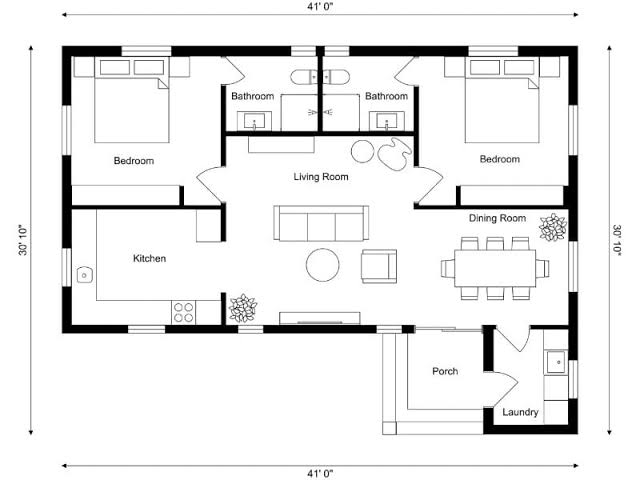
The rooms rise from a floor plan. Resize and turn them with the buttons.
Needs: Show plan.png to the camera
 Advanced
Image tracking
Take a photo or record a video: the camera picture and the 3D, together, with a timer and sound.
Needs: Show the poster picture to the camera
 Medium
Image tracking
The poster example described in a JSON file, opened with loadScene, the way the Viewer does.
Needs: Show the poster picture to the camera
 Advanced
Image tracking
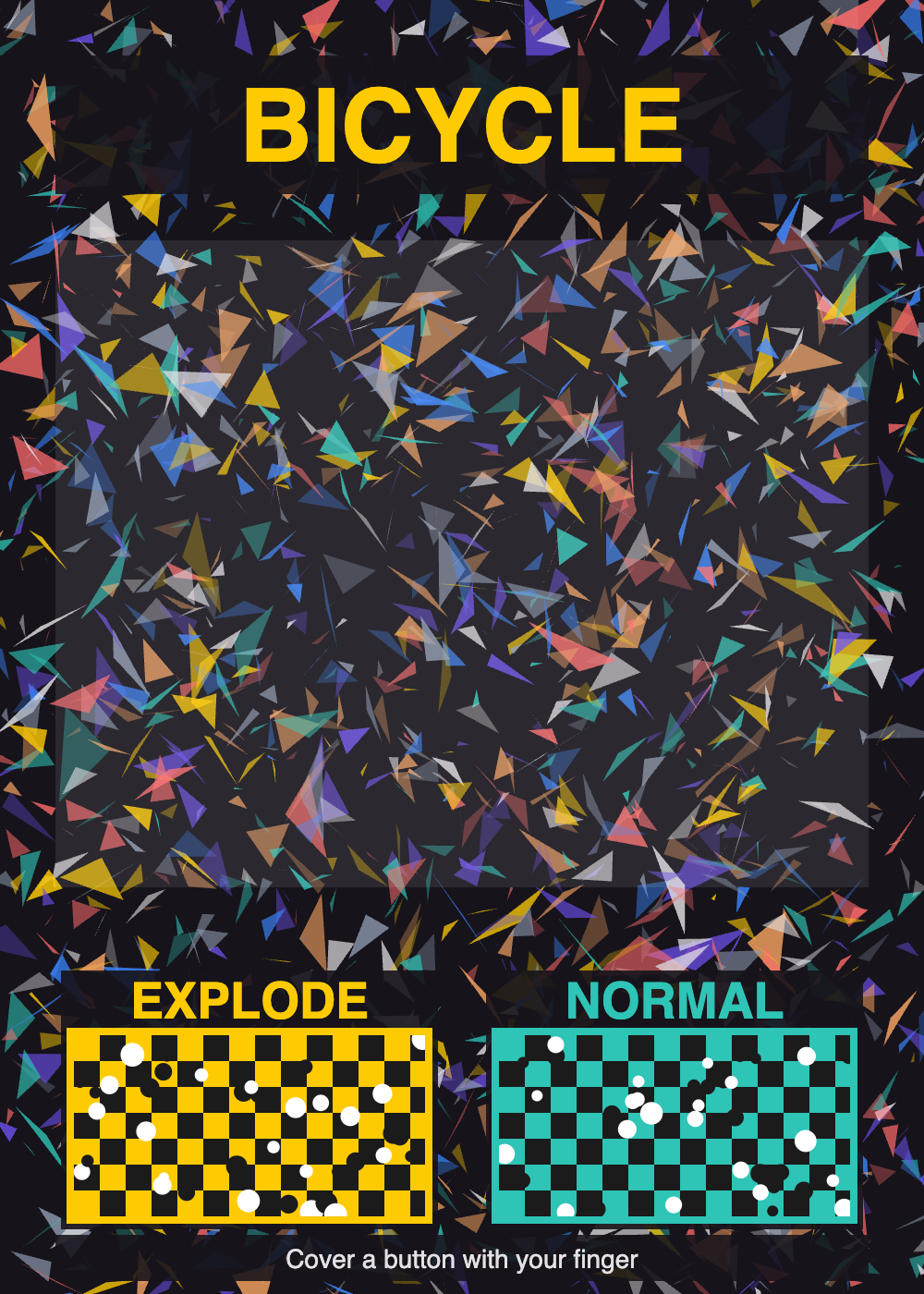
Two buttons printed on the poster: cover EXPLODE with a finger to take the bicycle apart, NORMAL to put it back. The 3D Explode button works too.
Needs: The poster picture on a screen or printed, and a finger
 Medium
World tracking
A ring shows on the floor, a tap places a cube, and it stays when you walk around. With a diagnostics panel.
Needs: An Android phone with Chrome
 Medium
World tracking
Content placed on the floor from a scene file, in meters.
Needs: An Android phone with Chrome
 Advanced
World tracking
Place content on the floor, then take a photo or a video with the camera picture behind it.
Needs: An Android phone with Chrome
 Medium
World tracking
Turn a product with a finger, tap numbered hotspots, press Explode, then View in AR to place it at real size.
Needs: Any phone for the viewer, an Android phone with Chrome for AR
 Medium
World tracking
Turn the bicycle with a finger, tap the four hotspots, press Explode, then View in AR to place it at real size.
Needs: Any phone for the viewer, an Android phone with Chrome for AR
 Basic
World tracking
The bicycle as a 3D object: tap the floor to place it at real size, then press Explode.
Needs: Any phone for the viewer, an Android phone with Chrome for AR
 Basic
World tracking
Numbered points on a model, each with a title and a free text. A point hides when it is on the far side.
Needs: Any phone for the viewer, an Android phone with Chrome for AR
 Medium
Image tracking
The same numbered points, on a poster: a map or a diagram with labels that open on a tap.
Needs: Show poster.png to the camera
 Basic
World tracking
Hang a picture on a real wall at real size: it faces out of the wall and stays where you put it.
Needs: An Android phone with Chrome
 Medium
World tracking
Place a small 3D machine on a wall, and press Explode to see it come apart.
Needs: An Android phone with Chrome
 Medium
World tracking
A doorway stands on your floor and shows the savanna. Walk through it, and the world is all around you.
Needs: An Android phone with Chrome
 Medium
Image tracking
A window opens in the poster and shows the savanna. Move the phone to look round inside.
Needs: Show the poster picture to the camera
No experience matches these filters.