 Tempusxr
- Docs
- Image tracking examples
Events handling
Everything the SDK tells the page: the camera runs, an image is found, an image is lost, an error happens. This page prints them on screen, so you can see them while you move the phone.
Try it
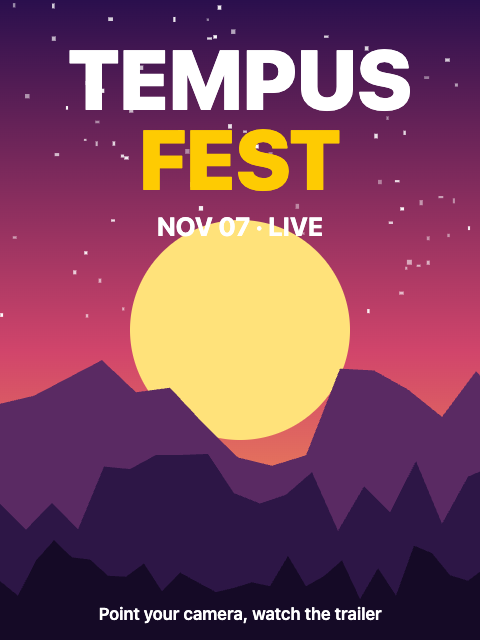
Open the demos on a phone: the camera needs a secure page. Then point the camera at the picture below, shown on a second screen or printed.
A-Frame
The scene emits tempusxr-ready and tempusxr-error. Each target entity emits targetFound and targetLost, with the anchor in event.detail.
<!doctype html>
<html lang="en">
  <head>
    <meta charset="utf-8" />
    <meta name="viewport" content="width=device-width, initial-scale=1, viewport-fit=cover" />
    <title>Events handling (A-Frame)</title>
    <!-- A-Frame, Tempusxr and the image tracker, as plain script tags. -->
    <script src="/node_modules/aframe/dist/aframe-v1.8.0.min.js"></script>
    <script src="/packages/sdk-aframe/dist/index.umd.cjs"></script>
    <script src="/packages/sdk-tracker-image/dist/index.umd.cjs"></script>
    <style>
      #log {
        position: fixed;
        left: 12px;
        right: 12px;
        bottom: 12px;
        z-index: 10;
        max-height: 30vh;
        margin: 0;
        padding: 8px 12px;
        overflow: hidden;
        border-radius: 10px;
        background: rgba(0, 0, 0, 0.6);
        color: #fff;
        font:
          13px/1.5 ui-monospace,
          Menlo,
          monospace;
        pointer-events: none;
      }
    </style>
  </head>
  <body>
    <!-- Show poster.png, then look away: the page logs what the SDK tells it. -->
    <pre id="log"></pre>

    <a-scene
      tempusxr="tracker: image; targets: /examples/poster-video/poster.txr"
      renderer="alpha: true"
      vr-mode-ui="enabled: false"
    >
      <a-camera></a-camera>
      <a-light type="ambient" intensity="1"></a-light>
      <a-entity id="target" tempusxr-image-target="index: 0">
        <a-box position="0 0 0.15" scale="0.3 0.3 0.3" color="#fecb02"></a-box>
      </a-entity>
    </a-scene>

    <script>
      const lines = [];
      const log = (text) => {
        lines.push(`${new Date().toLocaleTimeString()}  ${text}`);
        document.getElementById('log').textContent = lines.slice(-6).join('\n');
      };
      const scene = document.querySelector('a-scene');
      const target = document.getElementById('target');
      scene.addEventListener('tempusxr-ready', () => log('tempusxr-ready: camera and tracker run'));
      scene.addEventListener('tempusxr-error', (event) =>
        log(`tempusxr-error: ${event.detail.error.message}`),
      );
      target.addEventListener('targetFound', () => log('targetFound'));
      target.addEventListener('targetLost', () => log('targetLost'));
    </script>
  </body>
</html>
Three.js
ar.on(name, handler) returns a function that stops listening. The names are camera, found, lost and error.
<!doctype html>
<html lang="en">
  <head>
    <meta charset="utf-8" />
    <meta name="viewport" content="width=device-width, initial-scale=1, viewport-fit=cover" />
    <title>Events handling (Three.js)</title>
    <!-- Three.js with the SDK, as a page without a bundler loads it. -->
    <script type="importmap">
      {
        "imports": {
          "three": "/node_modules/three/build/three.module.js",
          "@tempusxr/sdk-core": "/packages/sdk-core/dist/index.js",
          "@tempusxr/sdk-three": "/packages/sdk-three/dist/index.js",
          "@tempusxr/sdk-tracker-image": "/packages/sdk-tracker-image/dist/index.js"
        }
      }
    </script>
    <style>
      html,
      body {
        margin: 0;
        height: 100%;
        background: #111;
      }
      #log {
        position: fixed;
        left: 12px;
        right: 12px;
        bottom: 12px;
        z-index: 10;
        max-height: 30vh;
        margin: 0;
        padding: 8px 12px;
        overflow: hidden;
        border-radius: 10px;
        background: rgba(0, 0, 0, 0.6);
        color: #fff;
        font:
          13px/1.5 ui-monospace,
          Menlo,
          monospace;
        pointer-events: none;
      }
    </style>
  </head>
  <body>
    <!-- Show poster.png, then look away: the page logs what the SDK tells it. -->
    <pre id="log"></pre>
    <div id="ar"></div>
    <script type="module">
      import * as THREE from 'three';
      import { create } from '@tempusxr/sdk-three';
      import '@tempusxr/sdk-tracker-image';

      const lines = [];
      const log = (text) => {
        lines.push(`${new Date().toLocaleTimeString()}  ${text}`);
        document.getElementById('log').textContent = lines.slice(-6).join('\n');
      };

      const ar = create({ container: '#ar' });
      window.__ar = ar;
      const tracker = await ar.use('image', { targets: ['/examples/poster-video/poster.txr'] });

      const box = new THREE.Mesh(
        new THREE.BoxGeometry(0.3, 0.3, 0.3),
        new THREE.MeshBasicMaterial({ color: '#fecb02' }),
      );
      box.position.z = 0.15;
      const content = new THREE.Group();
      content.add(box);
      ar.attach(tracker.anchors[0], content);

      ar.on('camera', () => log('camera: the camera runs'));
      ar.on('found', (anchor) => log(`found: target ${anchor.targetIndex}`));
      ar.on('lost', (anchor) => log(`lost: target ${anchor.targetIndex}`));
      ar.on('error', (error) => log(`error: ${error.message}`));

      await ar.start();
    </script>
  </body>
</html>
What to remember
- A target is lost only after a few frames without it, so a short blur does not make the content blink.
- Use these events to start a video, play a sound, or send a statistic.